

We’re always working to make your new site easier to get started. We have prepared the 2015 Canadian Taxes as an import for your WooCommerce installation.
Download here: canadian_tax_rates_2015
To use the Canadian Tax rules, begin by logging into your WordPress installation.
-
Click WooCommerce – Settings

-
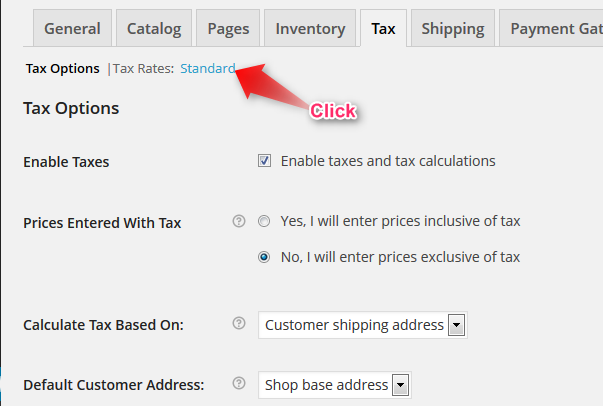
Click the “Tax” tab

-
Click the “Tax Rates” options “Standard”
-
Click “Import CSV” – browse your computer and upload the Canadian Tax Rates

-
Click “Save Changes”
Note: to update single tax rates or to remove them you can edit directly. Choose the rate you would like to modify and type the new value – the modification will happen in real time without page refresh. Click save to make the changes permanent.
Good Luck to all WooCommerce users in 2015!